The Galaxy S25 from Samsung has a new feature: AI chats that happen in real time using your camera. Gemini Live, a visual AI assistant that can “see” through your Galaxy S25 camera and give you instant answers to your questions based on what it sees, powers this new trick. This article goes over how this feature works, how it can be used in real life, its benefits, and answers to common questions.
What is the Galaxy S25’s real-time AI camera feature?
The Galaxy S25’s real-time AI camera trick is based on Gemini Live, a smart AI that can understand both text and pictures.
Gemini Live is like a virtual assistant that can look at pictures, things, and places in real time.
To turn on the AI and start the camera view, just press and hold the side button.
Real-Time Interaction: The AI can answer questions about what it sees right away, giving you practical advice, direction, or identification.
Screen Sharing: You can also share your screen while using apps or shopping online. Gemini Live can then suggest things based on what you see on your screen.
How AI Chats Work in Real Time
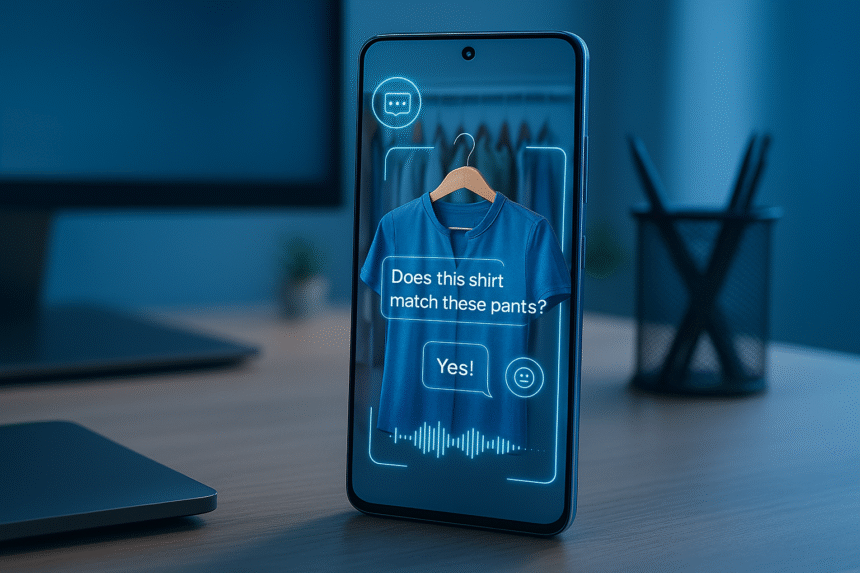
Point the Camera: Turn on Gemini Live and aim your camera at something, like a scene, an object, or an item.
Ask Questions: Ask questions like “Does this outfit match?” to talk to people in a natural way. or “What should I pick?”
Get Instant Answers: The AI looks at pictures and gives you answers right away, as if you were talking to someone who could see what you see.
Screen-Based Help: You can ask the AI to help you compare products, suggest styles, or give advice by sharing your screen.
Responses in Conversation: The AI talks back in a natural way, making conversations easy and natural.
How to Use Real-Time AI on the Galaxy S25
There are many useful things you can do with your camera that let you talk to AI:
Point your camera at clothes and ask Gemini Live for fashion advice or outfit ideas.
Closet Organisation: Show the AI your messy closets, and it will suggest ways to arrange your shoes, clothes and accessories.
Shopping Help: While you shop online, share your screen to get help with product choices, prices, or style matches.
The AI can help you organise your home by suggesting ways to declutter rooms, make better use of shelf space, or change the layout.
Point the camera at the ingredients, and the AI can suggest recipes or meal combinations.
Learning and Identification: Point the camera at things, plants, or objects and ask the AI to tell you what they are or give you more information about them.
Advantages of AI Camera Chats in Real Time
The Galaxy S25’s visual AI takes things to the next level by combining sight and conversation. This makes interactions smarter than regular text or voice assistants.
Convenience: Real-time help makes daily tasks like shopping, organising, and styling easier and faster.
Companion-Like Interaction: The AI acts like a person, giving you advice as if it were a personal assistant who could see what you were doing.
On-Device Processing: Strong hardware makes sure that most processing happens on the device itself, which is faster and more private.
Free Update: Galaxy S25 owners can get the feature as part of a software update, so they don’t have to pay anything extra.
Things to Think About
Internet Connection: Some tasks can be done without an internet connection, but others may need one to work fully.
AI Accuracy: The AI is very smart, but it might not always understand what it sees. Always double-check important advice.
Using the camera and AI at the same time may use more battery than normal tasks.
Language and Region Support: The performance may be different depending on the languages and regions that are supported.
Questions and Answers (FAQs)
Q1: What is Gemini Live for the Galaxy S25?
A: Gemini Live is an AI assistant that can look at what the camera sees and give you answers and advice right away.
Q2: How do I use the camera to start a real-time AI chat?
A: To open Gemini Live, press and hold the side button, point your camera, and talk to the AI like you would with a real person.
Q3: Is this feature free?
A: Yes, Galaxy S25 users can get the real-time AI camera chat feature for free as a software update.
Q4: How can Gemini Live help me?
A: Gemini Live can help you with shopping, organising things, identifying things, suggesting meal ideas, and more.
Q5: Do I need to be connected to the internet?
A: Some AI features work without an internet connection, but to get the most out of them and get advice that takes into account your situation, you may need to be online.
Q6: Does using AI with the camera quickly drain the battery?
A: It might use more battery than normal tasks because of the camera and AI processing, but the S25 hardware makes sure that it works as efficiently as possible.
Q7: Can Gemini Live understand every language?
Language support depends on the settings on the device and where it is available.
Q8: Is my information safe when I use this AI?
A: On-device processing makes sure that many tasks are done on the device itself, which improves privacy.
Q9: Is it possible for Gemini Live to make mistakes?
A: Yes, the AI might sometimes get the wrong idea from visual input. Users should check their advice again if they need to.
Q10: Is it possible to turn off Gemini Live?
A: Yes, you can control or turn off the feature in the Galaxy AI or One UI settings.
Last Thoughts
The Galaxy S25’s ability to have real-time AI chats using your camera is a big step forward in smartphone technology. Gemini Live lets your device see what you see and give you real-time advice, not just respond to text or voice. This visual AI feature turns your Galaxy S25 into a smart companion, not just a phone. You can use it to help you with fashion, organisation, shopping, and even making decisions every day.
Gemini Live is a step into the future of AI-enhanced smartphones for Galaxy S25 owners. It turns what you see into useful information in real time.